Sunday, December 8, 2013

Making Readers!!

Read, Read, Read, is the motto of my classroom right now.  I have been thinking and feeling directed to have more reading in my room, but was not sure how to go about it.   I began by talking to a colleague (thanks Summers) about what she did to have such great success last year; she said her kids were reading all the time! They were listening to stories, SRA, online computer reading program, and class novels. I began looking at how I could ensure focused reading time in my class.

I started with using the NOOK app and downloading books.  I downloaded a class set of books so we could read as a class.  I had to carve some specific time in class, but I think it is important.  My kids are eating up our class read aloud that ties directly to our Mythology Unit.  The kids following along makes the read aloud interactive.

I spent time talking to another colleague (thanks Legg) about what she was doing.  She has been picking books out for her kids and conferencing with each kid individually.  She gave me a website with leveled novels; Booksource.  I created a list of books and went to work (with the help of the librarian - thanks Miller) to pick out books for each of my students.  Following the example of my teammate, I am meeting with the kids and we are discussing the books as they work through them.  As I am thinking about specific books for kids and meeting with the kids, I am reminded of the The Book Whisperer by Donalyn Miller.  In this book the author talks about conferencing with her kids and picking books out for them.  If you haven't read it, it is worth a read.  I have to be honest, I haven't been 100% successful with picking out books for my kids, and a couple kids have complained the book is boring.  On the other hand, I have heard comments such as "Awesome, can I take it home and read more tonight?" or "This book is great!"  I want to pick books that the kids get excited to read and will keep working on it.


After they finish reading a book, they fill out a google form "book report".  The kids scan the QR code, which takes them to a link for the form. The form asks a variety of questions ranging from what is the genre to write a summary.  When I left school this weekend, I was impressed with the books on desks and the number of book reports in the google spreadsheet.  We have been using the google form book report for about a month now.
(I don't mind sharing the questions on my book report form, but it wouldn't work for you to have access or try this one b/c it would go directly to my spreadsheet.)


So three new things to try...nook app for kids to read class novels. Booksource.com to look up leveled chapter books (fiction and nonfiction). Google form "book report". 

Saturday, November 30, 2013

They got the practice...but failed the test!

One of the most discouraging things for a teacher is to give a test and have only a few kids pass it.  Somedays, I feel like this is the story of my life.  As I was venting to a friend about how the kids seem to get it during guided practice and even independent practice, yet can't do it on the test; the Holy Spirit spoke to me and said, "Amy, this is how I feel with you sometimes."  

Ouch!  But...let's be honest...it is true.  How many times as humans do we work with God to trust him, or to love our neighbors, and we "get it" during the practice?  We "get it" while we are at church and talking about it in Bible Study, but when the test comes, we fail! 

The cool part is that God understands how I feel in my classroom.  The more I thought about this, I realized God was using my frustrations to teach me how to handle the feelings.  He most definitely does not give up on me or take out His frustration on me.  In fact, He does just the opposite, He loves me even more.  So, the next time the kids "get it" in class, but don't show it on the quiz, I will work to pass MY test of loving, cherishing, and encouraging them.  That IS what I have been called to do.

Sunday, November 24, 2013

Math Fluency

"This would be easier if you knew your facts!"  As teachers, this is a phrase that we know all too well! What can we do to improve their facts?  The iPad has multiple resources to help.  My kids ask multiple times each day if they can practice math fluency.  So what are they doing?


If not on their iPads, they are playing the game 24, or practicing flashcards, and eating up math fluency time!!

Friday, November 15, 2013

I am the five loaves and two fish...

WHAT A WHIRLWIND SEMESTER!!!  It was August...I blinked...and it's the middle of the November.

I cannot begin to describe the variety of emotions I have experienced with all the changes this school year has brought.  I have experienced excitement for new things, anxiety with change, negativity because of the negativity in education, discouragement with lack of engagement in my classroom, frustration with new iPad management program, stress in meeting deadlines, and exhaustion!  The excitement was short-lived and soon overtaken by the rest of the emotions.  

Last month, I decided to look at teaching in a different way; Christ was a teacher, surely He has something to show me about my career?!?  As I began reading Matthew I was overwhelmed (in a good way) with a refreshing insight of education and teaching.  

The biggest lesson I have learned comes from Matthew 14:13-21, "Jesus Feeds the Five Thousand."  
Many of you know this story I am sure.  Christ is given five loaves and two fish to feed five thousand people.  Talk about minimal resources-yet Christ was able to feed FIVE THOUSAND PEOPLE!  Can we say "SPREAD a little thin?"  As I studied this story, God brought it to my attention that I myself am like the five loaves and two fish.  I am one person "feeding" 26 young minds at 26 different levels.  I am "feeding" them math, reading, science, social studies, writing, life lessons, responsibility, and on and on!  One person feeding all those little people all those things is "spreading teachers thin!"  The beauty of Christ's story is every single person was fed and no one left hungry.   IF I trust Christ, He will take me, (the five loaves and two fish) bless me, and "feed" the "five thousand."  WOW!!!

HE WILL AND IS BIG ENOUGH TO TEACH/REACH each child in my classroom in every area they need!!  I now pray every morning, as I enter the "battlefield," that Christ will take the minimal resources and bless them so they reach ALL children.  That my friends is our hope as educators.  It is not humanly possible to meet all of our students' needs, but Christ will join forces and lead our class.  Will you let him?

Friday, November 1, 2013

A Little "LemonAid" Love this week!

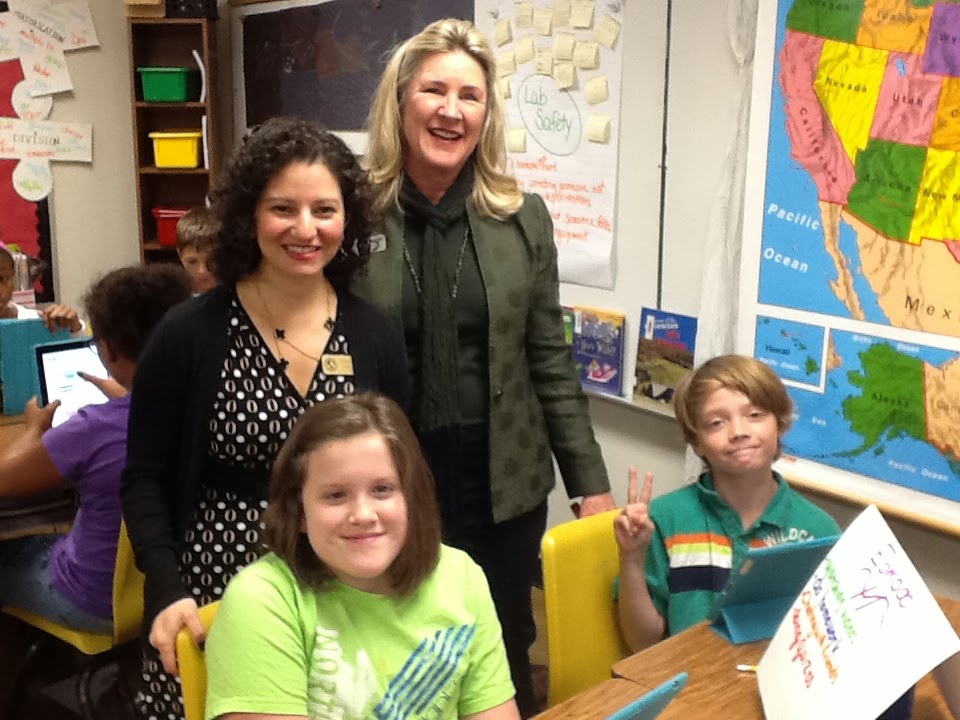
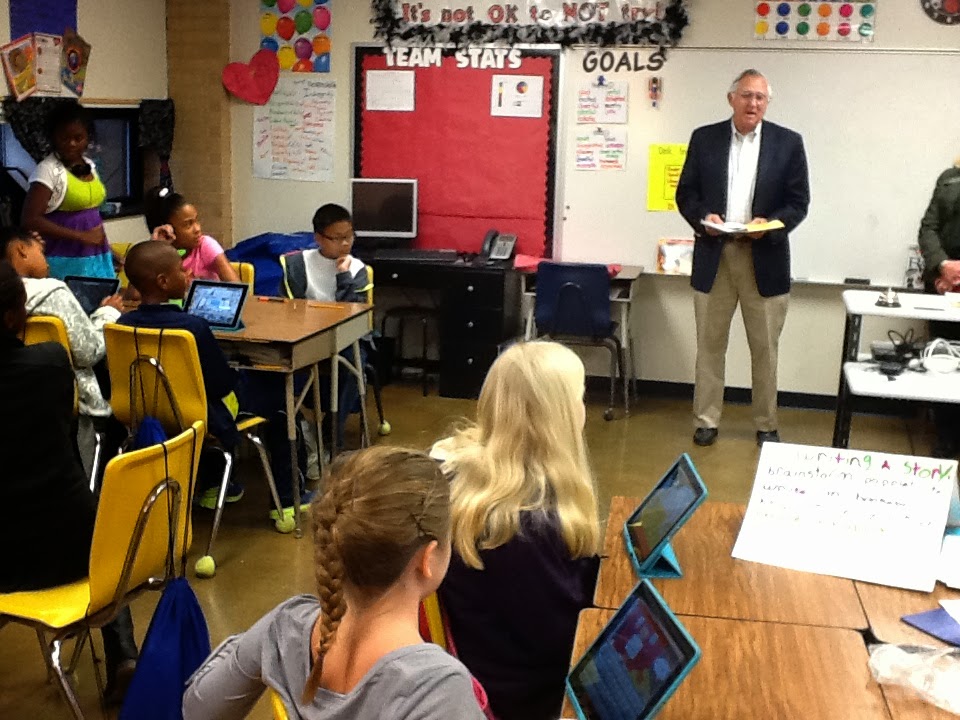
We had a big week in my class.  My students wrote thank you's to the Lemons (the iPad donors) and invited them to visit our classroom so we could give the thank you's to them personally.  On Wednesday, Larry, Jen, and Caroline visited our classroom and watched 5 different presentations.  Each group created a presentation including; assigned speaking roles, a visual poster with written instructions, and visuals on the iPads.

1. The first task was Research.  The kids told the visitors what they used to research, how they took notes on their iPads, and then made presentations.  

2. The next group of kids showed how we use Nearpod.  They walked the visitors through what a presentation was like and even had Mr. Lemon take the quiz.


3. Students in the third group showed how to use the iPad in all stages of the writing process; from brainstorming to publishing.
4. The fourth group presented Edmodo and all the cool things it allows you to do.  One boy said, "it's like school at home." Edmodo Video They talked about how I put lessons online with follow-up quizzes.  They are able to stay up with their school work even when they are absent.


5. Last and not least, my kids showed the guests iMovie.  They described the steps of creating a movie, starting with assigning jobs in your group and ending with a movie.  The kids included how you can use notes to write a script and assign parts. 


The kids did a great job presenting the different things we do with iPads.  They really enjoyed showing off how they were using the awesome tech tools and showed much appreciation to the Mr. Lemon.  Everyone had a fantastic time!


Sunday, October 27, 2013

It's a love-hate relationship...REALLY! Techno & me!

I'm in my 2nd year with a class set of iPads and you would think it would be easier! I should know what I'm doing by now, right? Well actually, it's just the opposite. This year I am using a new program called Apple Configurator.  The idea of Configurator is great and sounds as though it would make your life much simpler.  BUT...it has not done that yet.  Because of configurator, I have had to wipe my iPads completely 3 times this year.  That means, all the work my kids have done is lost each time.  Multiple times, I've come to look at the iPads and found issues with e-mail, apps, settings, etc.  I loved the idea of Configurator but have HATED working in it.  After the last issue during testing, I knew I had to start over completely!  So that is what I did.  On Friday, my tech friend spent the whole day going between my cart and another teacher's cart.  We "unsupervised," wiped, prepared, created a back-up, restored, assigned and finally today I can say that my iPads are all ready to go.  iPads are assigned to individual students!  iPads are labeled with individual number and name of student!  Their picture is the home screen!  Dropbox is set up!  Settings are safe and secure!  Find my iPad is turned on and locked!  Folders are made and all pretty!  Guided access is on and passcode is set!  Web clips are even downloaded!  The iPads are all clean and ready for my class on Monday.

We are going to use a the iPads for research, taking notes, creating graphs, and multiplication fluency practice!  I can't wait to break the iPads back out and use them fully!  Hopefully my kids are as excited as I am. :)


Saturday, October 19, 2013

Almost Catastrophic Technology Fail!!

Well even the biggest technology users have technology fails sometimes!  The thing that matters is if you roll with it and quickly recover.

Our district prints our Benchmarks for us because it is so much paper, but I had opted out.  Who needs paper pencil tests when you have technology?  It was going to be perfect...BENCHMARKS on the iPads.  Bubblesheet automatically imports the scores into Mastery Connect - piece of cake.  I even heard cheers about benchmarks when the kids found out it was on the iPads!

I knew Thursday (a week ago) I was having some problems with my iPads when two kids brought them to me because it said "plug into iTunes."  Never a good sign when nothing is on the iPad.   My amazing district tech specialist came out to help me the next day.  As we began looking at the iPads, we noticed about 5 of them now had that same sign.  I toted those few home to fix over the weekend because I needed them Monday for two tests.  After a few hours on Saturday, those iPads were restored and ready to be used.

I got to school on Monday morning and plugged those five iPads in along with the rest to make sure they had that final charge before the test!  The kids got the iPads out and we went to specials.  When we came back, we got ready to take the benchmark and as the kids started opening their iPads I heard chaos erupt as one kid started with, "Hey! What's wrong with my iPad?" and then another and another and another and ANOTHER AND ANOTHER...15 kids!  Their iPads were now saying the same thing that the five over the weekend had said!  With 15 iPads out there was NO way the test was possible with technology, but we had to get started!  I got another teacher to cover my class and frantically ran up to the work room to make copies!  Thankfully, the 'Wonderful Monday Copy Mom' was up there and made the rest of the copies while I went down and got the kids started on page 1!  During lunch I went and made the second benchmark copies for the PM testing session.  (Oh and the good-front-to-back-staple your whole packet copier was BROKEN TOO)

My dear friend and technology specialist came back out to my class and worked furiously ALL afternoon and into the evening so we could have iPads working for Tuesday's test.  WE DID IT!!  Tuesday morning, my kids were able to download the reading test into their "Note Anytime" app and write all over it!!  Saved by Kennemer!

Although we recovered the iPads so that we could take the benchmarks, there is still something not quite right with Apple Configurator and the iPads.  I must unsupervise my iPads, wipe them clean, and start fresh, but not until we looked over the tests on the iPad because we will loose everything!

Technology fails...just roll with it...make do...and keep fiddling with it!